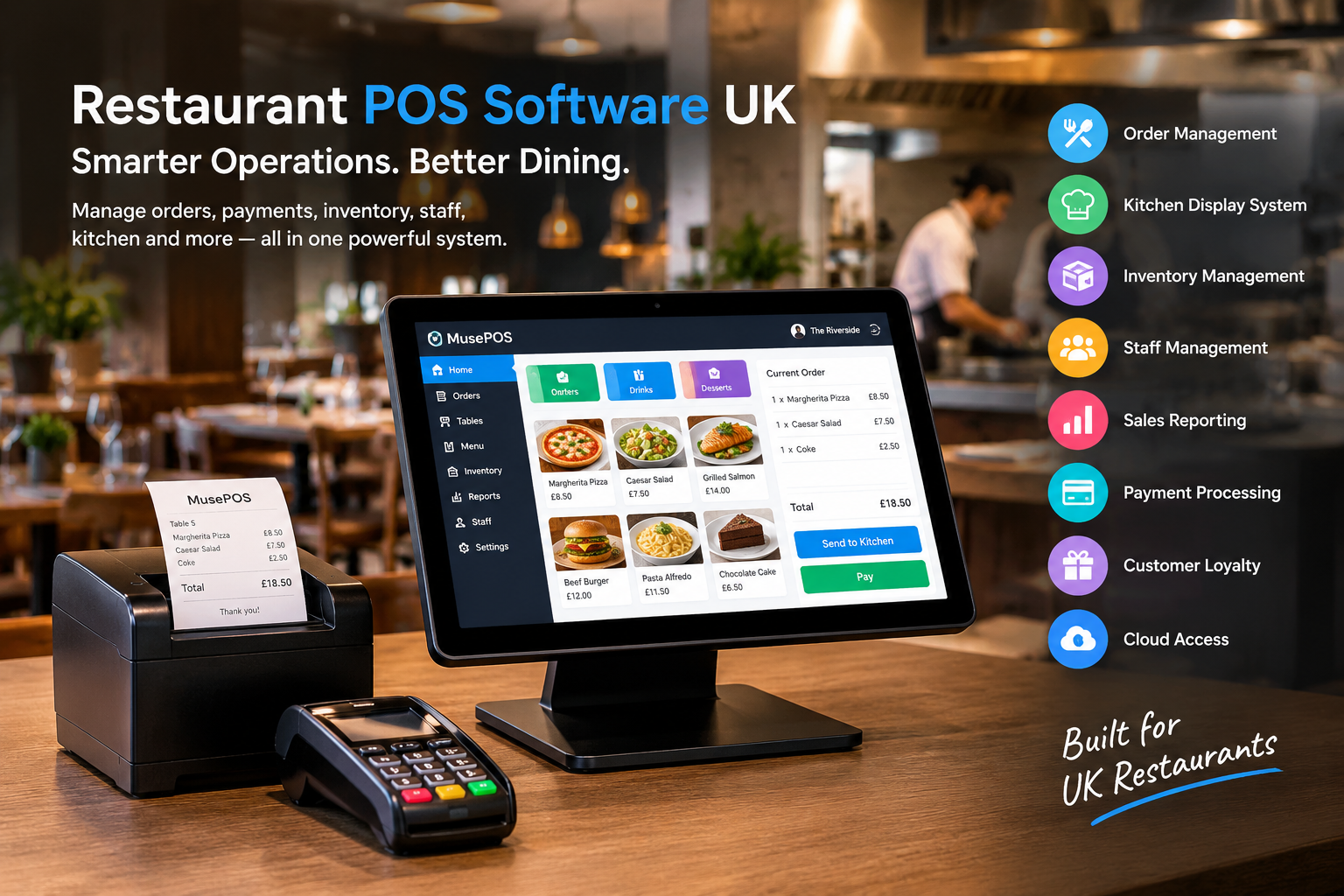
# Restaurant POS Software UK in 2026: How Modern EPOS Systems Help Restaurants Run Smarter
Running a restaurant in the UK requires more than taking orders and processing payments. Restaurant owners need to manage menus, tables, staff, inventory, kitchen operations, customer orders, payments and sales reporting while delivering fast service.
This is why **restaurant POS software UK** solutions have become an important part of modern hospitality operations.
A modern **restaurant EPOS system** connects front-of-house, kitchen and back-office operations through one platform. Instead of relying on separate tools for billing, inventory, staff management and reporting, restaurants can manage many daily processes from a central system.
For restaurants, cafés, takeaways, food courts, bakeries and other hospitality businesses, a modern POS system can help improve operational visibility, reduce manual work and create a smoother ordering experience.
## What Is Restaurant POS Software?
Restaurant POS software is a digital system used to manage sales, orders, payments and restaurant operations.
Traditional tills mainly focused on calculating bills and printing receipts. Modern restaurant POS systems can manage much more, including:
* Order management
* Menu management
* Table ordering
* Kitchen Display Systems
* Online ordering
* Inventory management
* Staff management
* Customer loyalty
* Sales reporting
* Payment processing
* Multi-location management
* Customer information
* Discounts and promotions
A restaurant POS can therefore act as an operational hub connecting different parts of the business.
## Why UK Restaurants Are Moving Toward Modern EPOS Systems
Restaurant operators increasingly need technology that can keep up with fast service, multiple ordering channels and changing customer expectations.
A modern **EPOS system UK** restaurants can use should help staff take orders quickly, send accurate information to the kitchen and process payments efficiently.
It should also provide restaurant owners with useful business data.
For example, management may want to understand:
* Which dishes sell the most?
* Which products generate the highest sales?
* How much stock is being consumed?
* Which employees processed the most sales?
* How are different locations performing?
* What are the busiest sales periods?
* How are discounts affecting revenue?
Modern reporting tools can turn this operational data into information that restaurant managers can use for day-to-day decisions.
## Key Features of Restaurant POS Software
### 1. Fast Restaurant Order Management
Speed is essential during busy restaurant periods.
A modern POS allows employees to enter orders quickly, modify items and process different types of orders.
Depending on the restaurant’s operating model, orders may include:
* Dine-in
* Takeaway
* Delivery
* Counter orders
* Table orders
* Online orders
MusePOS supports order taking through POS and waiter applications, while orders can be sent directly to kitchen printers or a Kitchen Display System.
This can reduce communication gaps between front-of-house and kitchen staff.
### 2. Kitchen Display System
Kitchen operations are closely connected to the quality of restaurant service.
A **Kitchen Display System (KDS)** can send orders electronically from the POS to kitchen staff.
Instead of relying entirely on handwritten or printed tickets, kitchen employees can view incoming orders digitally and track their status.
A KDS can help restaurants:
* Organise incoming orders
* Reduce communication errors
* Track preparation status
* Improve kitchen visibility
* Coordinate front-of-house and kitchen teams
For busy restaurants, this connection between POS and kitchen operations can be particularly useful.
### 3. Table Ordering and Waiter Applications
Table-service restaurants need more than a basic checkout screen.
Waiters may need to take orders directly from tables, send them to the kitchen and process payments without repeatedly returning to a central till.
Modern restaurant POS platforms can support table ordering through mobile devices.
MusePOS supports waiter ordering, table self-ordering and customer-facing ordering options.
This can create a more connected workflow between customers, servers and kitchen staff.
### 4. Online Ordering Integration
Customers increasingly use websites, apps and digital ordering channels to place food orders.
A restaurant POS should ideally connect these orders with the restaurant’s main operational system.
Online ordering integration can help restaurants manage:
* Collection orders
* Delivery orders
* Digital menus
* Customer information
* Order status
* Payment information
The goal is to avoid manually entering the same order into multiple systems.
### 5. Inventory Management
Food inventory directly affects restaurant profitability.
Without proper stock control, restaurants can experience:
* Overstocking
* Stock shortages
* Food waste
* Inventory discrepancies
* Difficulty tracking ingredient usage
Modern restaurant management software can provide centralized inventory management.
MusePOS includes features for inventory counts, stock transfers, production, recipe management and inventory history.
Restaurant managers can use these capabilities to monitor stock and better understand how products are being consumed.
### 6. Sales Analytics and Reporting
Data is one of the most valuable features of modern restaurant technology.
Instead of relying on manual spreadsheets, restaurant owners can access sales information through digital reports.
Useful restaurant POS reports may include:
* Daily sales
* Product performance
* Employee sales
* Location performance
* Payment reports
* Refunds
* Discounts
* Sales trends
* Inventory information
MusePOS provides sales analytics covering sales trends, popular items, receipts, tax reporting and report exports.
These reports can help restaurant managers identify patterns and make operational decisions.
## Cloud-Based Restaurant POS Software
Cloud technology has changed how restaurant owners access business information.
With a cloud-based POS platform, authorised users can access business information from connected devices rather than being restricted to one physical computer.
MusePOS provides cloud and mobile dashboard access for reports and business management.
This can be useful for restaurant owners managing operations remotely or overseeing multiple locations.
For example, an owner may want to check:
* Today’s sales
* Inventory alerts
* Staff activity
* Product performance
* Location reports
without being physically present at the restaurant.
## Offline POS Capability Matters
Internet connectivity cannot always be guaranteed.
A restaurant may experience a temporary broadband outage, Wi-Fi problem or connectivity issue during a busy service period.
If the POS completely stops working, orders and payments can become difficult to manage.
MusePOS supports offline sales and synchronises data after connectivity is restored.
For restaurants, offline functionality can therefore be an important consideration when evaluating a POS system.
## Restaurant Payment Processing
Payment processing is another important part of restaurant POS technology.
Modern restaurants may accept:
* Credit cards
* Debit cards
* Contactless payments
* Mobile payments
* Cash
* Other digital payment methods
Integrated payment processing can reduce manual entry and create a smoother connection between the order and payment process.
Restaurants should also evaluate payment compatibility, transaction costs, settlement arrangements and security before selecting a payment solution.
## Staff Management
Restaurant employees have a major impact on service quality.
A modern POS can provide tools for managing employee access, shifts and sales activity.
Useful staff management capabilities include:
* Employee profiles
* User permissions
* Time tracking
* Shift management
* Employee sales reports
* Activity tracking
MusePOS includes staff management functionality such as POS user permissions, time clocks, payroll-related administration and employee activity tracking.
This gives restaurant managers greater visibility into daily staff operations.
## Customer Loyalty and CRM
Acquiring a new customer can require significant marketing effort. Encouraging existing customers to return can therefore be an important part of restaurant growth.
Restaurant POS software can connect transactions with customer information and loyalty programmes.
Possible features include:
* Customer profiles
* Purchase history
* Loyalty points
* Digital loyalty cards
* Customer preferences
* Birthday rewards
* Promotional offers
MusePOS includes customer databases, purchase history, loyalty cards and points-based rewards.
These features can help restaurants build more personalised customer engagement strategies.
## Multi-Location Restaurant Management
Restaurant groups with several locations face additional operational challenges.
Each location may have different:
* Sales volumes
* Staff
* Inventory
* Menus
* Customer activity
* Operating schedules
A centralised POS system can make it easier to monitor multiple locations from one management environment.
MusePOS supports multi-location management with centralised reporting and inventory-related capabilities.
This can provide restaurant owners with a more consistent view of business performance.
## What Types of Restaurants Can Use POS Software?
Restaurant POS systems can support different hospitality business models.
### Quick-Service Restaurants
Speed is critical for QSRs. POS technology can help streamline ordering, payment and kitchen communication.
### Cafés
Cafés can use POS software for counter ordering, payments, menu management, customer loyalty and reporting.
### Fine-Dining Restaurants
Fine-dining businesses can benefit from table management, waiter ordering, customer information and detailed reporting.
### Takeaways
Takeaway businesses need fast order processing, payment management and efficient kitchen communication.
### Bakeries
Bakeries can use POS technology to manage products, sales, inventory and customer transactions.
### Food Courts
Food courts can use centralised systems to manage multiple vendors and monitor overall operations. MusePOS also provides food-court functionality for unified management, ordering and reporting.
### Food Trucks
Mobile food businesses can benefit from flexible POS solutions that support fast transactions and different payment options.
## How to Choose the Right Restaurant EPOS System in the UK
Before purchasing restaurant POS software, business owners should evaluate their actual operational requirements.
Consider the following factors:
### Ease of Use
Restaurant employees need to learn the system quickly. A complicated interface can slow down service.
### Hardware Compatibility
Check whether the software works with your existing or planned devices, printers, scanners, tablets and payment terminals.
MusePOS supports devices including iPads, PCs, Android phones, tablets and POS terminals.
### Kitchen Integration
If your restaurant has a busy kitchen, check whether the POS integrates with KDS and kitchen printers.
### Inventory Management
Restaurants with complex menus should look for ingredient, recipe and stock management capabilities.
### Reporting
Make sure the system provides the reports you actually need to operate the business.
### Offline Operation
Check whether sales can continue if the internet connection temporarily fails.
### Integrations
A POS should ideally connect with relevant accounting, ecommerce, marketing and other business applications.
MusePOS provides integrations and APIs for connecting with other systems.
### Scalability
If you plan to open additional locations, choose a system that can support multi-location operations.
## Restaurant POS Software and the Future of UK Hospitality
Restaurant technology is moving toward increasingly connected operations.
Future-focused restaurant POS platforms are likely to place greater emphasis on:
* Cloud management
* Mobile ordering
* Self-service kiosks
* Digital menus
* Kitchen automation
* Customer loyalty
* Business analytics
* AI-assisted insights
* Multi-location management
* Integrated payments
* Online and offline operations
The objective is not simply to replace a traditional cash register. Modern POS technology is becoming part of a broader restaurant management ecosystem.
## Final Thoughts
A modern **restaurant POS system UK** businesses can rely on should do much more than process payments.
The right platform can connect ordering, kitchen operations, inventory, staff management, payments, customer engagement and reporting in one environment.
For restaurants, cafés, takeaways, food courts and other hospitality businesses, investing in the right **restaurant EPOS software** can create a more connected operational workflow while giving managers better access to business information.
MusePOS combines restaurant POS, ordering, kitchen management, inventory, staff management, analytics, customer loyalty and integrations into a single platform designed for different hospitality business models.
## Frequently Asked Questions
### What is the difference between POS and EPOS?
POS means Point of Sale, while EPOS generally refers to Electronic Point of Sale. In modern restaurant operations, both terms are often used for digital systems that manage orders, payments and business operations.
### What should restaurant POS software include?
Important features can include order management, payment processing, inventory management, kitchen integration, reporting, staff management, customer loyalty and online ordering.
### Is cloud-based POS useful for restaurants?
Yes. Cloud-based POS software can allow authorised users to access business information and reports from connected devices, which can be useful for owners managing restaurants remotely.
### Can restaurant POS work without internet?
Some modern POS platforms provide offline functionality. MusePOS supports offline sales and synchronisation after an internet connection is restored.
### Can a restaurant POS manage inventory?
Yes. Modern restaurant POS platforms can provide inventory counts, stock tracking, transfers, production and related inventory management features.
### Can POS software support multiple restaurant locations?
Many modern systems support multi-location management. MusePOS provides centralised management and reporting for multiple locations.
—
### SEO Information
**Primary Keyword:** restaurant POS software UK
**Secondary Keywords:**
* restaurant EPOS system UK
* restaurant POS system UK
* EPOS software UK
* restaurant billing software
* restaurant management software
* restaurant point of sale system
* cloud POS for restaurants
* restaurant inventory management software
* hospitality POS system
* POS system for takeaway
**SEO Title:** Restaurant POS Software UK: Complete EPOS Guide for 2026
**Meta Description:** Discover how restaurant POS software UK helps manage orders, payments, inventory, staff, kitchen operations, reporting and customer loyalty in 2026.
**Suggested URL Slug:** `/restaurant-pos-software-uk/`
Leave a Reply