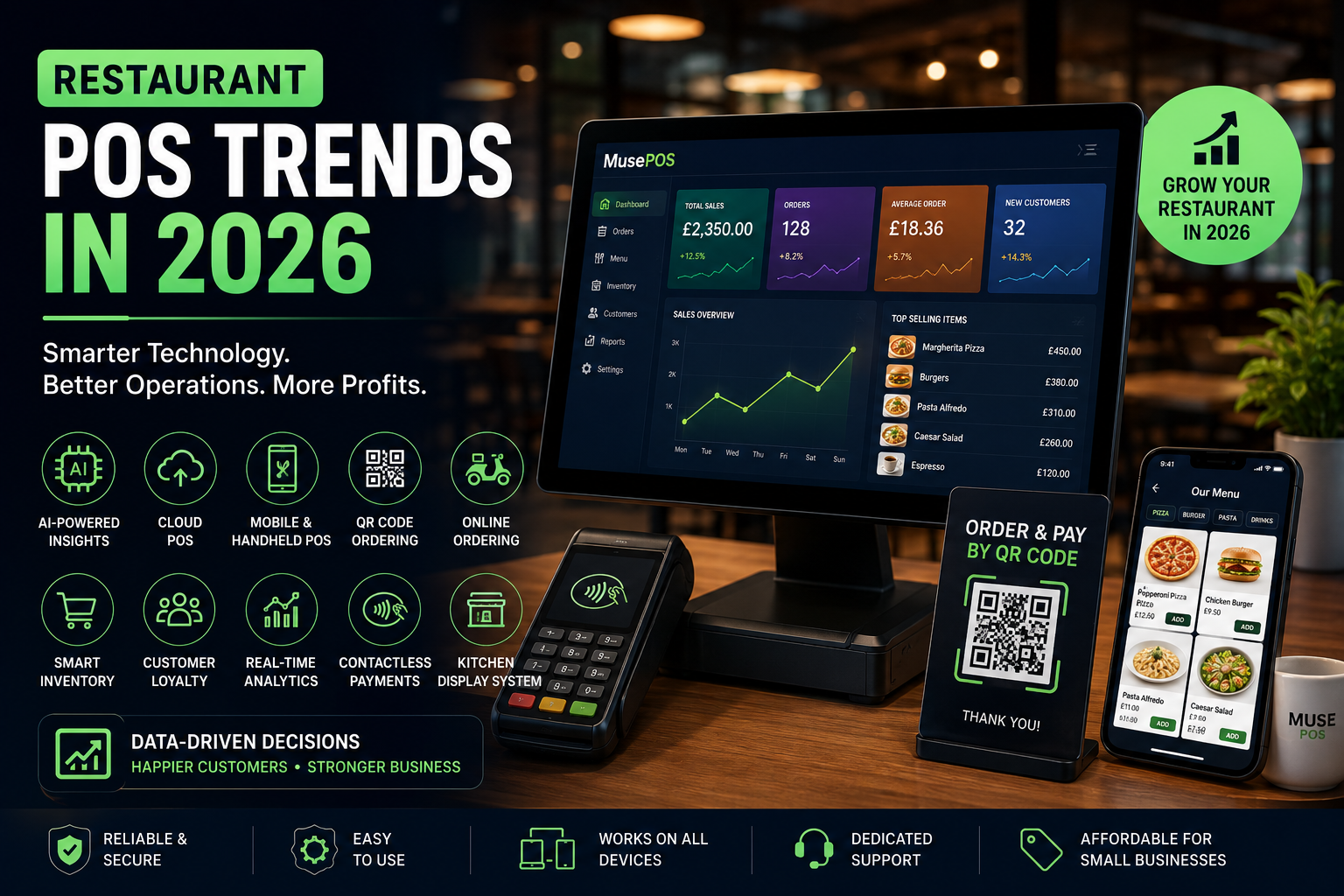
Running a restaurant in 2026 is about much more than serving great food.
Restaurant owners are dealing with rising operating costs, staffing challenges, online orders, delivery platforms, changing customer expectations, and an increasing amount of business data.
The good news?
Modern **restaurant POS software** can help bring many of these moving parts together.
A POS system is no longer just a cash register that prints receipts.
Today’s restaurant POS platforms can connect orders, payments, inventory, customer data, online ordering, reporting, loyalty, and increasingly, AI-powered insights.
For small restaurant owners, this creates an important opportunity:
**Use technology to spend less time managing the business and more time growing it.**
So, what are the biggest **restaurant POS trends in 2026**?
Let’s take a look.
—
# 1. AI-Powered POS Systems Are Moving From Hype to Practical Tools
Artificial intelligence is becoming one of the most important trends in restaurant technology.
But small restaurant owners don’t necessarily need a complicated AI system.
The most useful applications are often simple and practical.
For example, AI can help restaurant owners analyze:
* Daily sales
* Best-selling menu items
* Slow-selling products
* Inventory patterns
* Labor costs
* Customer behavior
* Menu performance
* Revenue trends
Recent 2026 restaurant data from Toast shows operators using its AI assistant most frequently for sales and revenue, menu and inventory, guest marketing, and operations. Menu optimization was also a major area of interest.
Imagine opening your POS dashboard in the morning and asking:
> “What changed in my restaurant yesterday?”
Instead of manually checking multiple reports, an AI-powered POS could summarize important information.
For a small restaurant owner, that’s a much more useful application of AI than simply adding a chatbot.
—
# 2. Cloud-Based POS Is Becoming the Standard
Traditional POS systems often stored much of their data locally.
Cloud-based POS systems change that model.
Restaurant data can be securely synchronized with a cloud platform, allowing owners to access business information from different devices and locations.
A typical architecture looks like:
**Restaurant POS → Cloud Platform → Database → Reporting Dashboard**
This can make it easier to:
* Monitor sales remotely
* Manage menus
* Access reports
* Update prices
* Manage multiple devices
* Synchronize restaurant data
* Connect third-party services
For a small restaurant owner, remote access can be especially useful.
You don’t necessarily need to be standing behind the counter to understand how your restaurant is performing.
—
# 3. Mobile and Handheld POS Are Growing
The traditional fixed checkout counter isn’t always the most efficient way to take restaurant orders.
Mobile POS devices allow staff to take orders closer to the customer.
For example:
**Customer → Server Tablet → Kitchen → Payment**
Instead of:
**Customer → Server → Paper/Memory → Counter → Kitchen**
Mobile POS can be useful for:
* Table-side ordering
* Faster service
* Outdoor dining
* Food trucks
* Cafés
* Quick-service restaurants
* Events
The goal isn’t simply to replace a desktop computer.
It’s to remove unnecessary steps from the ordering process.
—
# 4. QR Ordering Is Becoming More Practical
QR codes became widely known during the pandemic, but their role in restaurants has continued to evolve.
A QR code can provide access to:
* Digital menus
* Table ordering
* Online ordering
* Promotions
* Loyalty programs
* Payment options
A customer can scan a QR code at the table, browse the menu, place an order, and potentially pay without waiting for staff.
For small restaurants with limited staffing, this can reduce pressure during busy periods.
However, QR ordering shouldn’t completely replace human service.
The best restaurant experience usually combines digital convenience with good hospitality.
—
# 5. Online Ordering Is Becoming a Core POS Feature
Customers increasingly expect restaurants to offer multiple ways to order.
They may want to:
* Dine in
* Pick up
* Order delivery
* Order from a website
* Order from a mobile app
* Place an order through a digital menu
This creates a challenge for restaurant owners.
If every order channel operates separately, managing the business becomes complicated.
A modern POS can help bring orders together.
For example:
**Website Order**
↓
**Online Ordering System**
↓
**Restaurant POS**
↓
**Kitchen**
↓
**Customer**
This reduces manual order entry and helps keep menus and pricing consistent.
—
# 6. Direct Online Ordering Can Help Restaurants Own the Customer Relationship
Third-party delivery platforms can provide valuable customer reach.
But restaurants also need to think about their direct digital presence.
A branded online ordering system can give restaurants more control over:
* Customer relationships
* Ordering experience
* Promotions
* Loyalty
* Customer data
* Branding
Recent restaurant technology discussions increasingly emphasize connecting the guest journey across discovery, ordering, delivery, pickup, and loyalty rather than treating each channel separately.
For a small restaurant, even a simple branded ordering website can be an important step toward building repeat business.
—
# 7. Digital Loyalty Programs Are Becoming More Important
Getting a new customer is only part of the challenge.
Getting that customer to return is often more valuable.
Restaurant POS systems are increasingly being connected with loyalty and customer-engagement features.
Examples include:
* Points
* Rewards
* Digital coupons
* Birthday offers
* Personalized promotions
* Repeat-purchase incentives
A simple loyalty workflow might look like:
**Customer Order → POS → Customer Profile → Reward Points → Personalized Offer**
This allows restaurants to turn individual transactions into long-term customer relationships.
—
# 8. Inventory Management Is Becoming Smarter
Food waste can quickly hurt restaurant profitability.
That’s why inventory management is becoming a more important part of modern POS software.
A restaurant POS can connect sales information with inventory data.
For example:
**10 Burgers Sold**
↓
**10 Portions of Ingredients Consumed**
↓
**Inventory Updated**
The system can help restaurant owners understand:
* What is selling
* What is running low
* Which ingredients are being used
* Which products are wasting money
* Which menu items are most profitable
Advanced systems can also use historical sales data to help forecast demand.
That can help owners make better purchasing decisions.
—
# 9. Menu Engineering Is Becoming Data-Driven
Restaurant owners often know their popular dishes.
But popularity doesn’t always equal profitability.
A POS system can help compare menu items using information such as:
* Sales volume
* Selling price
* Ingredient cost
* Gross margin
* Customer demand
This can reveal four useful categories:
### Stars
High sales + high profitability.
### Plowhorses
High sales + lower profitability.
### Puzzles
Low sales + high profitability.
### Dogs
Low sales + low profitability.
Instead of guessing which dishes deserve attention, restaurant owners can use actual sales data.
AI can take this further by identifying patterns and suggesting menu changes.
—
# 10. POS and Kitchen Display Systems Are Becoming More Connected
A restaurant POS doesn’t stop at the front counter.
It can connect directly to kitchen operations.
A **Kitchen Display System (KDS)** can receive orders digitally and organize them for kitchen staff.
For example:
**POS Order**
↓
**Kitchen Display**
↓
**Food Preparation**
↓
**Order Completed**
This can reduce reliance on handwritten tickets and help kitchen teams understand order priorities.
For busy restaurants, better communication between the front and back of house can make a major difference.
—
# 11. Contactless Payments Are Becoming an Expected Experience
Customers increasingly expect quick and convenient payment options.
Restaurants can support:
* Contactless cards
* Mobile wallets
* QR payments
* Digital receipts
* Integrated payment terminals
The important goal is to make payment feel like a natural part of the ordering process rather than a separate step.
A good POS should make it easy for staff to:
1. Create the order
2. Calculate the bill
3. Apply discounts
4. Accept payment
5. Print or send a receipt
The fewer manual steps involved, the lower the chance of errors.
—
# 12. Real-Time Restaurant Analytics
Restaurant owners generate huge amounts of information every day.
Every transaction creates data.
The problem is knowing what to do with it.
Modern POS analytics can help answer questions such as:
* How much did we sell today?
* Which dish sold the most?
* What was our busiest hour?
* Which payment method was used most?
* Which employee processed the most orders?
* Which day generated the highest revenue?
* Which menu items are declining?
Instead of waiting until the end of the month to review performance, owners can monitor important numbers in near real time.
—
# 13. Labor Management Is Becoming More Data-Driven
Labor is one of the biggest operational considerations for restaurants.
POS data can help owners understand when demand is highest.
For example:
**11 AM–1 PM → High demand**
**2 PM–5 PM → Lower demand**
**7 PM–9 PM → High demand**
This information can help restaurant managers plan staffing more effectively.
Some advanced systems also connect sales and labor information to help identify productivity and scheduling opportunities.
AI can potentially take this further by identifying patterns across historical sales and staffing data.
—
# 14. Offline POS Capability Still Matters
Cloud technology is useful.
But what happens when the internet stops working?
A restaurant still needs to take orders and payments.
That’s why **offline functionality** remains an important POS consideration.
A strong restaurant POS should have a strategy for handling temporary connectivity problems.
Depending on the system, this may include:
* Local order storage
* Offline transaction handling
* Automatic synchronization
* Retry mechanisms
* Local device communication
For small restaurants, reliability should be more important than having the longest list of features.
—
# 15. POS Integrations Are Becoming More Important
Restaurants rarely use one piece of software.
They may use:
* Accounting software
* Delivery platforms
* Online ordering
* Loyalty software
* Payment systems
* Payroll
* Inventory systems
* Marketing platforms
* Reservation tools
If these systems don’t communicate, restaurant staff may have to enter the same information multiple times.
That creates extra work and opportunities for errors.
Modern POS platforms therefore increasingly need APIs and integrations.
The goal is:
**One Restaurant → Connected Systems → Consistent Data**
—
# 16. Restaurant POS Security Is a Priority
A POS handles sensitive business and payment information.
Security therefore cannot be an afterthought.
Restaurant owners should look for systems that take areas such as these seriously:
* User permissions
* Secure authentication
* Payment security
* Data encryption
* Access controls
* Audit logs
* Secure integrations
* Software updates
Different restaurants have different requirements, but security should always be part of the POS selection process.
—
# 17. Personalization Is Becoming Part of Restaurant Technology
Restaurant customers don’t all behave the same way.
Some customers order every Friday.
Others visit once a month.
Some prefer delivery.
Others prefer dine-in.
A connected POS and customer-data platform can help restaurants understand these patterns.
That can enable more relevant promotions.
For example:
**Customer frequently orders pizza**
↓
**POS recognizes purchase history**
↓
**Restaurant sends an appropriate pizza promotion**
This is more useful than sending the same generic discount to every customer.
—
# 18. POS Systems Are Becoming Restaurant Operating Systems
Perhaps the biggest trend isn’t a single feature.
It’s the transformation of the POS itself.
A modern restaurant POS can become the central operating layer connecting:
**Orders**
*
**Payments**
*
**Kitchen**
*
**Inventory**
*
**Customers**
*
**Online Ordering**
*
**Loyalty**
*
**Analytics**
*
**Marketing**
Instead of thinking of POS as a billing machine, restaurant owners should think of it as a **restaurant operating system**.
—
# Which POS Trends Matter Most for Small Restaurants?
You don’t need every new restaurant technology.
If you’re a small restaurant owner, prioritize features that solve real problems.
### Start With These:
**1. Reliable order and payment processing**
Your POS must work consistently.
**2. Cloud reporting**
You should be able to understand your business without being tied to one computer.
**3. Inventory management**
Reduce waste and understand what you’re actually selling.
**4. Online ordering**
Give customers an easy direct ordering option.
**5. Mobile or QR ordering**
Make ordering easier during busy periods.
**6. Customer loyalty**
Encourage repeat visits.
**7. Useful analytics**
Know what’s happening in your restaurant.
**8. Integrations**
Connect the tools you already use.
**9. Security**
Protect your business and customer data.
**10. AI where it actually helps**
Use AI to simplify decisions—not simply because it’s fashionable.
—
# How to Choose the Right Restaurant POS in 2026
Before purchasing a POS system, ask these questions.
### Does it fit my restaurant?
A small café doesn’t necessarily need the same system as a 100-location restaurant chain.
### Is it easy for employees to learn?
A complicated POS can slow down service.
### Does it work with my existing hardware?
Check compatibility before making a purchase.
### Can I manage my restaurant remotely?
Cloud access can make reporting and management easier.
### Can I integrate online ordering?
If you want to grow digital sales, this matters.
### Does it support inventory?
Inventory visibility can help reduce waste.
### Does it provide useful reports?
Reports should help you make decisions—not simply generate numbers.
### Can it grow with my restaurant?
If you open another location, you don’t want to replace the entire system.
### What is the total cost?
Don’t look only at the monthly subscription.
Consider:
* Hardware
* Setup
* Payment processing
* Add-ons
* Integrations
* Support
* Training
The cheapest POS isn’t necessarily the cheapest solution over the long term.
—
# How Much Does Restaurant POS Software Cost in 2026?
There isn’t one fixed price.
Restaurant POS costs can vary based on:
* Number of terminals
* Hardware
* Number of users
* Payment processing
* Online ordering
* Inventory features
* Loyalty
* Reporting
* Integrations
* Support
* Number of locations
For a small restaurant, the best approach is to compare the **total cost of ownership** rather than simply comparing monthly subscription prices.
A POS that saves staff time, reduces order errors, improves inventory visibility, and increases repeat business may deliver more value than a cheaper system with limited functionality.
—
# Is AI POS Software Worth It for a Small Restaurant?
It can be—but only when the AI solves a real problem.
For example, AI could help answer:
> “Which menu items performed poorly this month?”
> “What were my busiest hours last week?”
> “Which items should I consider promoting?”
> “How did sales compare with last month?”
These are practical use cases.
A small restaurant doesn’t need a complicated AI project.
It needs **useful answers from its own business data**.
That is where AI-powered POS systems can become genuinely valuable.
—
# What Will Restaurant POS Look Like in the Future?
The restaurant POS is moving toward a more connected model.
Instead of:
**POS → Receipt**
we’re moving toward:
**POS → Customer → Kitchen → Inventory → Online Ordering → Loyalty → Analytics → AI**
The POS becomes the central source of operational data.
AI can then help turn that data into recommendations and actions.
This means the restaurant technology stack is becoming less about individual tools and more about **connected restaurant operations**.
—
# Why Small Restaurants Should Upgrade Their POS in 2026
You don’t need to upgrade simply because a new POS exists.
Upgrade when your current system is creating problems.
Signs it may be time include:
* Too much manual data entry
* Frequent order mistakes
* Poor inventory visibility
* Difficult reporting
* No online ordering
* No customer loyalty system
* Slow checkout
* Limited integrations
* Difficulty accessing sales data remotely
* Outdated hardware or software
If your POS is making your team work harder, it’s worth evaluating alternatives.
—
# How MusePOS Helps Small Restaurants
**MusePOS** is designed to help restaurants manage everyday operations through a modern POS platform.
Depending on the restaurant’s requirements, a connected POS approach can bring together:
* Restaurant billing
* Order management
* Menu management
* Sales reporting
* Inventory
* Customer management
* Online ordering
* Digital ordering
* Payments
* Restaurant analytics
The objective isn’t to overwhelm restaurant owners with technology.
It’s to make everyday restaurant operations simpler.
For a small restaurant owner, that can mean spending less time dealing with disconnected systems and more time focusing on customers, food, staff, and growth.
# Frequently Asked Questions
## What are the biggest restaurant POS trends in 2026?
The major trends include AI-powered analytics, cloud POS, mobile ordering, QR ordering, online ordering, loyalty, integrated inventory, kitchen display systems, contactless payments, real-time analytics, and connected restaurant platforms.
## Is a cloud POS better for a small restaurant?
A cloud POS can provide benefits such as remote reporting, centralized data, easier updates, and integration with other restaurant systems. However, owners should also evaluate offline functionality, security, support, and total cost.
## Does a small restaurant need an AI POS?
Not necessarily. AI is most valuable when it helps solve a specific business problem, such as sales analysis, menu optimization, inventory decisions, or customer marketing.
## What should I look for in restaurant POS software?
Look for reliable ordering and payments, ease of use, reporting, inventory management, online ordering, integrations, security, customer support, and the ability to scale with your restaurant.
## Can a POS system manage online orders?
Yes. Many modern POS systems can integrate online ordering so that digital orders can flow directly into restaurant operations.
## Can restaurant POS software manage inventory?
Yes. Depending on the platform, POS software can connect sales activity with inventory information and provide visibility into stock levels and product performance.
## Is QR ordering useful for small restaurants?
It can be particularly useful for restaurants looking to reduce ordering friction or support customers during busy periods. The best approach depends on the restaurant’s service model.
## Can a restaurant POS work offline?
Some POS platforms support offline functionality or offline transaction workflows. This is an important feature to evaluate because internet interruptions should not unnecessarily stop restaurant operations.
## How much does restaurant POS software cost?
Pricing varies according to hardware, software features, payment processing, integrations, number of terminals, and support. Restaurant owners should compare the total cost of ownership rather than subscription price alone.
# Final Thoughts
Restaurant technology in 2026 isn’t about buying the most expensive POS or adding every new feature.
It’s about choosing technology that solves real problems.
For a small restaurant owner, the priorities should be simple:
**Take orders faster.**
**Reduce mistakes.**
**Control inventory.**
**Understand sales.**
**Build customer loyalty.**
**Make ordering convenient.**
**Save staff time.**
**Grow revenue.**
A modern restaurant POS can bring these functions together in one connected system.
And as AI, automation, digital ordering, and restaurant analytics continue to develop, the POS is becoming much more than a billing system.
It’s becoming the **digital operating system of the restaurant**.
**Ready to simplify your restaurant operations?**
Explore **MusePOS** and see how modern POS software can help your restaurant manage orders, sales, inventory, customers, and growth from one connected platform.
Leave a Reply